Cut Spotlight
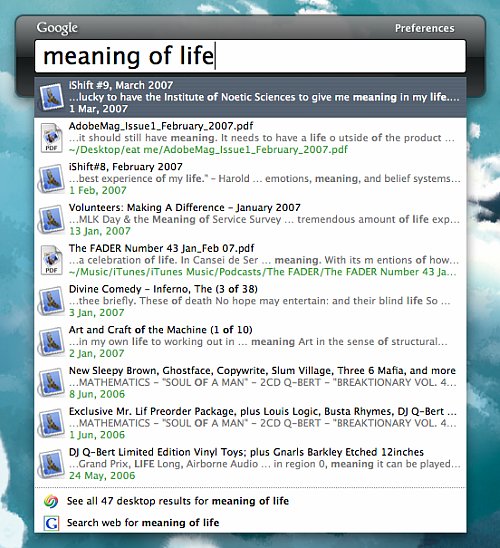
If you’re like me – that is, for the purpose of this post, you use a Mac and either Gmail or Google Apps for email – you’ll be happy to learn (or are already happy to know) about today’s launch of Google Desktop for OS X. One search box to rule them all: applications, files, emails, browsing history, internet search, etc.
If you’re even more like me and find Spotlight to be slow (and you aren’t a diehard Quicksilver user), you’ll probably dig this. So why not just do away with Spotlight altogether? OK:
- go to /System/Library/CoreServices
- copy Search.bundle to some place like your Documents folder for backup, then delete the original
- open Activity Montor and force quit SystemUIServer
When SystemUIServer relaunches you’ll be free at last. Spotlight will still index your files for use with the Finder et al, but the menu bar item will be gone. Now you can use trusty old Cmd + Space for Google Desktop instead of the default Cmd + Cmd. Stop reading my email and enjoy.
LINK/DOWNLOAD [Google Desktop for Mac]